Discrete Offline Message Encryption Device that creates & transforms messages to encrypted QR codes
- No GPS
- No Bluetooth
- No WiFi
- No Server
- No Subscription
 EUR
EUR  USD
USD 
595 €744 €
Discrete Offline Message Encryption Device that creates & transforms messages to encrypted QR codes
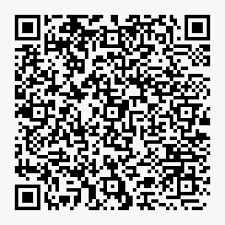
Offline Encrypted Message to QR code generator.
The Houdini Wallet is a powerful encryption products built inside an Touch Screen MP3-Player. Houdini Wallet is impossible to intercept since the unit is offline and have no OS or memory to store any messages on. Houdini Wallet encrypts & converts written messages(Touch Screen with international keyboard) to a QR code which then can be sent trough any available app(Signal/Telegram/SMS/Whatsapp or even live video feed). This encrypted QR code can only be read by another Houdini Wallet(Trough inbuilt camera) which have been paired with the transmitting Houdini Wallet since they have exchanged encryption keys, unless the transmitting Houdini Wallet decide to use a password to read the messages.
What this means is that the Houdini Wallet gives the user a unique possibility to send encrypted, sensitive messages within encrypted communication apps.
The Houdini Wallet doesnt have any subscription or fees, no servers or network. It is a one time cost.
Key Features:
The device is designed for users requiring high levels of security and privacy, such as secure communications and encrypted transactions, all managed offline to prevent unauthorized access.
Houdini Wallet provides unmatched security for personal communications. With its offline operation, lack of memory and operating system, and hidden encryption feature, it ensures that your messages and sensitive data, such as cryptocurrency seeds, remain safe from unauthorized access. Whether you’re sending everyday messages or critical financial data, Houdini Wallet is the perfect tool for keeping your communications secure.
For more information download the PDF in the PDF section
Houdini isn’t a messaging app—it’s a tool for creating and reading encrypted QR codes. You generate a QR code on the device, then share the image through any communication platform you trust (WhatsApp®, Signal®, Threema®, Telegram®, etc.). The QR itself carries the encryption; the transport method does not.
Tip: The QR image must be clear—no shadows, glare, or motion. Use steady lighting and hold the camera still.
Reminder: Houdini Pro requires the password you set during activation.
| Type | Description |
|---|---|
| Public Encrypted QR | Secured with the sender’s chosen password. Anyone who knows that password can decrypt the QR. |
| Private Encrypted QR | Uses a password known only to you and the intended recipient, providing an extra layer of privacy. |
Since Houdini only generates the encrypted image, you must pick a communication channel yourself. Recommended options include:
Make sure the QR image is transmitted without compression that could blur the pattern.
If you encounter any issues, contact our support team with your serial ID and a brief description of the problem.
End of manual.